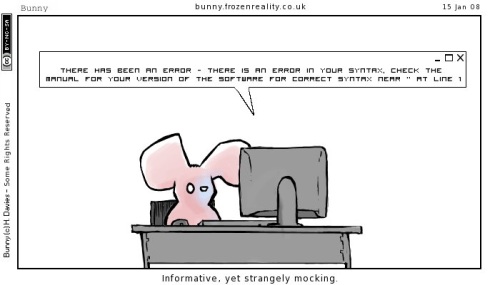
 Ick. Debugging code may be one of the most frustrating things in all of programming. Errors messages are almost always a sure-fire way to raise your blood pressure. Learning how to use debuggers and to read error messages is a valuable skill for any programmer. A good debugger is almost always a good programmer.
Generally, there are two types of errors in programming. The first kind might seem more frustrating in the beginning, but they are far easier to fix. The second might mean that there is something terribly wrong, and they can be a major pain to find.

1. Compile errors - These errors show up when you try to compile your code. Often they are accompanied by a cryptic compiler-error message like "Invalid Parameter List in Call" (this is from Ada 95.) Depending on what language you are programming in and what compiler you have these can be general, meaning anything from forgetting to import a package to sending the wrong type, to very specific, like "this needs a semi-colon." Usually these are problems with your syntax. Sometimes it is wrong, other times you just need to add something (in Java it might want you to handle some exception.) You have to get good at fixing these, because the more of a beginner you are, the more these are going to show up.
2. Run-time errors - These errors occur after you have compiled your code. Whenever you try to run your program, some kind of error occurs. The error messages for these are usually more general, but it still depends on the language and your debugger ("Segmentation Fault" in C++ is a classic.) These errors are the real problem because while they could be simple fixes, such as deleting your arrays in a language with un-managed memory, they could also be design flaws in your code.
Becoming a good debugger involves how you go about solving your bugs. Like all things, there is a right way and a wrong way to go about it. The wrong way comes naturally; The right way comes through practice and patience. Here are ten tips to help you on your quest to become a great debugger. (Of course your goal is to eventually write perfect, blissful, elegant code every time. Still, helping debug code once you have become a perfect programming life-form will endear you to the commoners.)
1. Don't Panic - It can be easy to get flustered or perplexed. Keep a level head. Go through your code systematically and logically.
2. Read the Error Messages - Often people see that they get an error and immediately go back to their code without even looking at the error message or at what line it is triggered. Often the error message and the line information can help you fix an error in 30 seconds flat. Read them.
3. Look for help online - This can be an easy way to find out if you implemented your code correctly, or if you have any simple syntax errors.
4. Use print statements - This can often be an easy way to see exactly where your code is failing (errors can often be caused in code before a later line triggers the error.) A simple "Got Here" print statement, or printing out your values, can help you quickly diagnose the problem. Remember to use .flush() or something similar to make sure the print statements print exactly when they are supposed to instead of staying in the buffer.
5. Comment out code sections - another great way to diagnose the problem. Often what you think is causing the error is only where an earlier error or miscalculation is exposed. Commenting out your latest code additions can help you focus on the right section instead of looking at overwhelming amounts of code.
6. Write test code - implementing problematic code on its own can give you a picture of whether the code itself is wrong, or whether it is having a problem working with code you have already written. It also helps you look at one chunk of code at a time.
7. Be aware of what is happening on the lower level - remember, depending on the language you are using, variables are often references to spaces in memory, not always primitives. Understanding how things are stored in memory, and how the functions you are calling work will greatly aid your debugging skills. (for instance in Java, string assignment copies the reference, not the actual information.)
8. Keep trying new things - Some people get stuck trying the same thing over and over again, unwilling to admit that they were wrong, that they need to try something different, or that they need to rethink their code. Be imaginative in your solutions, and don't be afraid to do it the long way; stalling won't help.
9. Take a Break - Sometimes you just need to walk away. Often your brain will still be working on the problem, even though you are doing something else. I can't count the times I have been talking with someone and stopped in the middle of the conversation and said "Oooohh, I should try this..."
10. Don't Give Up - Keep at it. Losing heart and giving up can ruin your coding experience. Asking for help is ok. Throwing up your hands and tossing in the towel isn't.
So go out there and squish some bugs!


